
WEDDING PLANNER & CHECKLIST · MOBILE APP
Plan your wedding your way.
Enter your wedding date, estimated guest count, and budget. In three minutes, you’ll have a plan you can adjust right up to your wedding day.
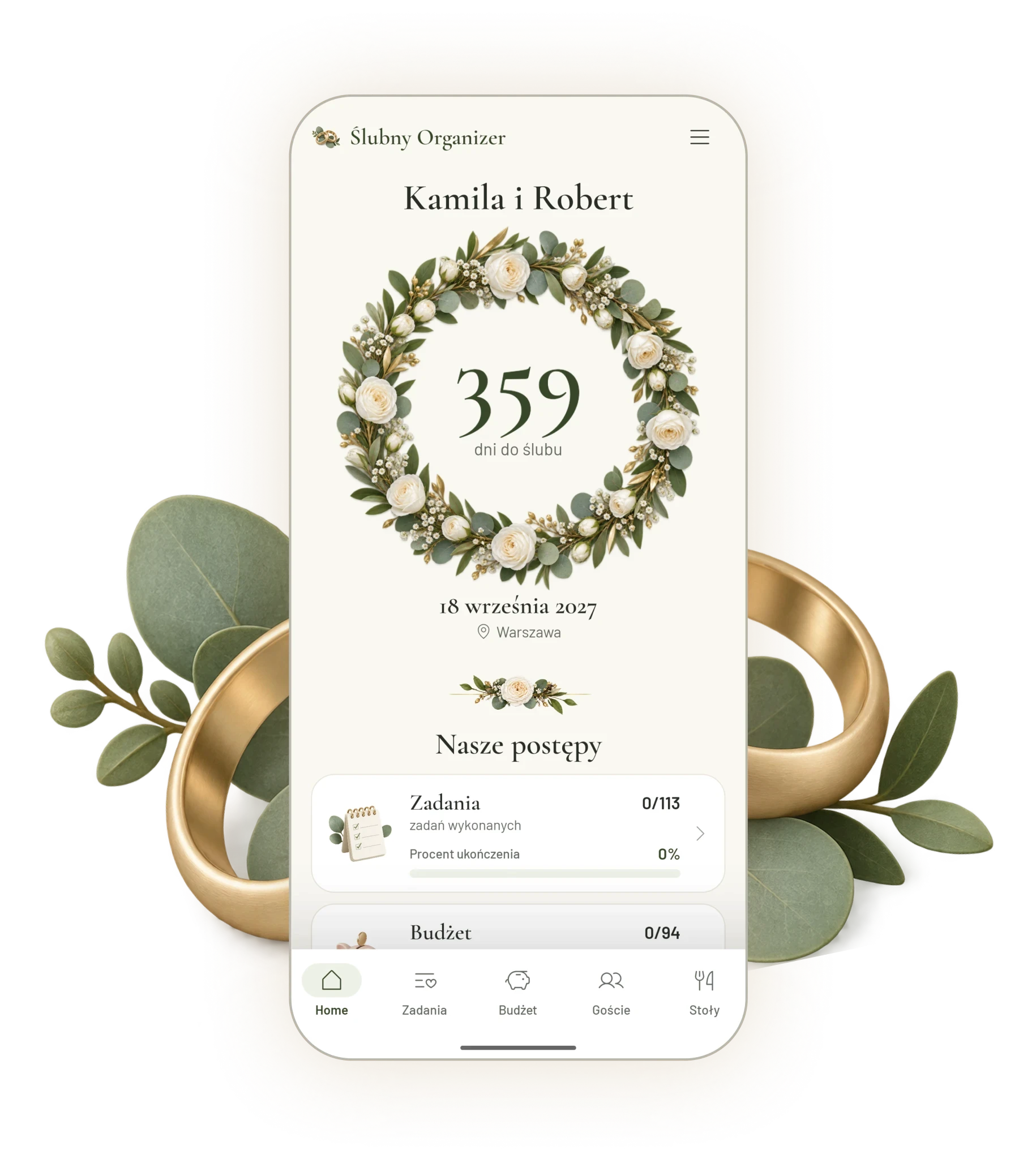
Start for free. No account required. No ads.
PLATFORMS
iOS and Android
USE
Wedding planning
MY ROLE
App design and development
01 / HOW IT WORKS
Your first wedding plan in three minutes
Start with a few details. The app shows you what to tackle now and what can wait.
STEP 1
Tell us about your wedding
Choose your wedding date and ceremony type. Add your estimated guest count and how much you’d like to spend.
STEP 2
Make the checklist your own
Choose from 113 tasks and 94 suggested expenses. Keep what fits your plans and add anything else you need.

STEP 3
Check things off as you go
Booked your venue? Check it off, record the deposit, and see what’s next.
02 / CHECKLIST & BUDGET
What’s left to do, and what’s left to pay?
Booking a venue comes with a task and a cost. Check off the contract once you’ve signed it, then log the deposit and remaining balance in your budget.
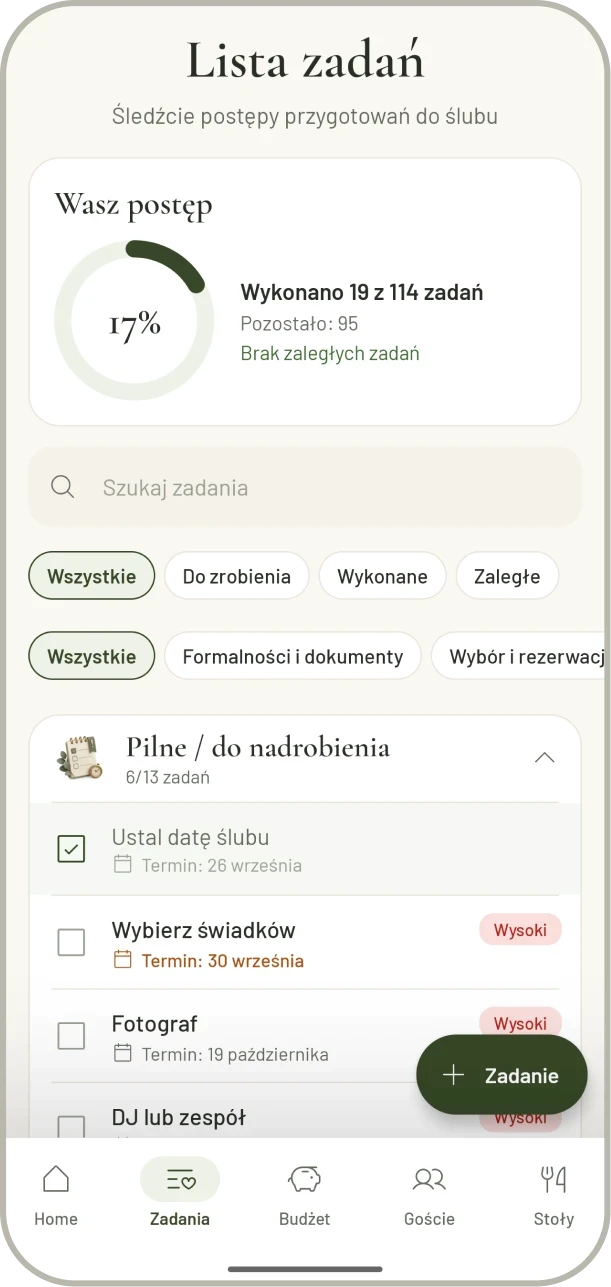
Checklist. Filter tasks by planning stage or category, and add your own.
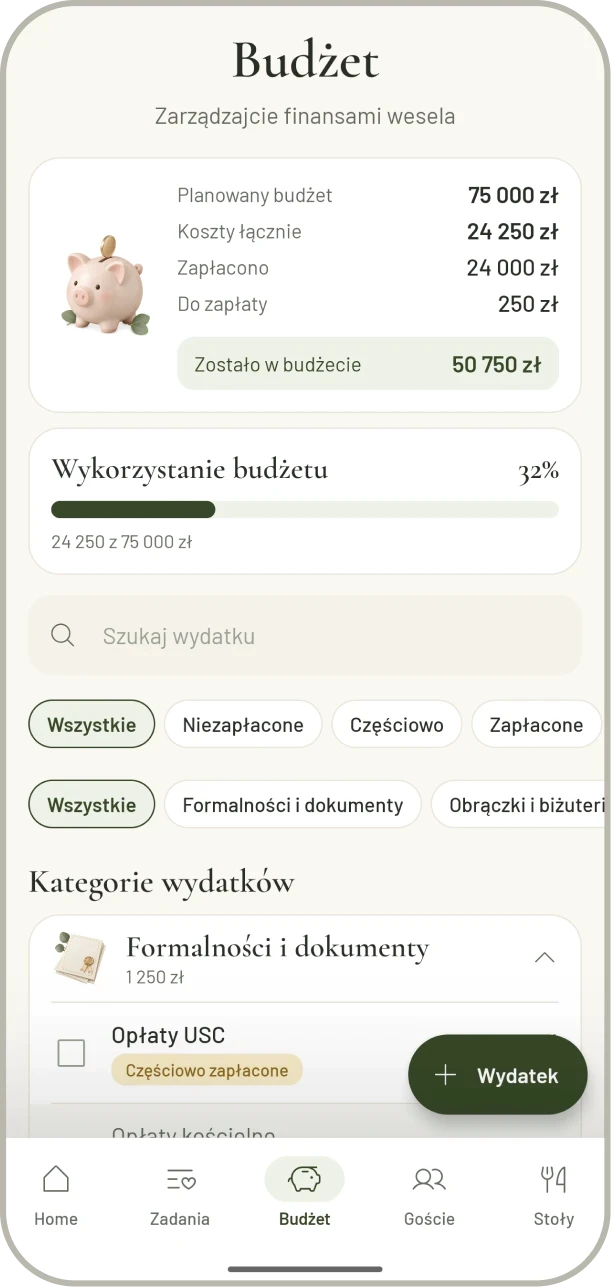
Budget. Compare estimates with actual costs and see how much you still owe.
03 / GUESTS & SEATING
From the invitation to a seat at the table
Keep each guest’s RSVP, dietary needs, lodging, and transportation details together. When it’s time to arrange the tables, assign seats from the same guest list.
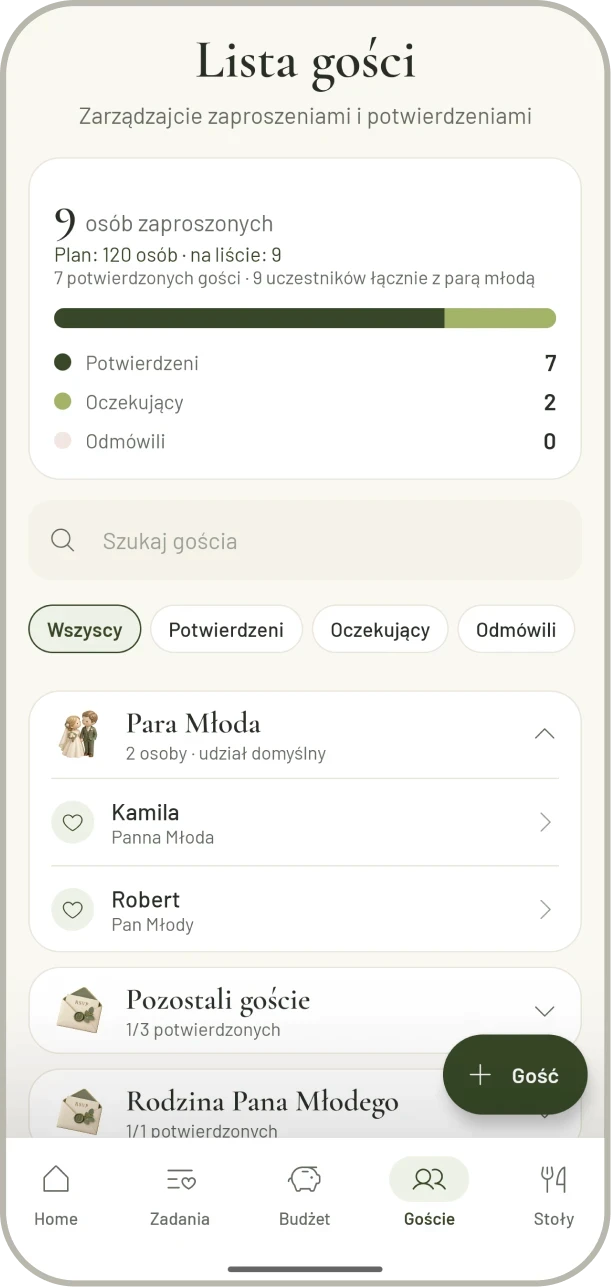
Guest list. See who’s coming and whose RSVP you’re still waiting for.
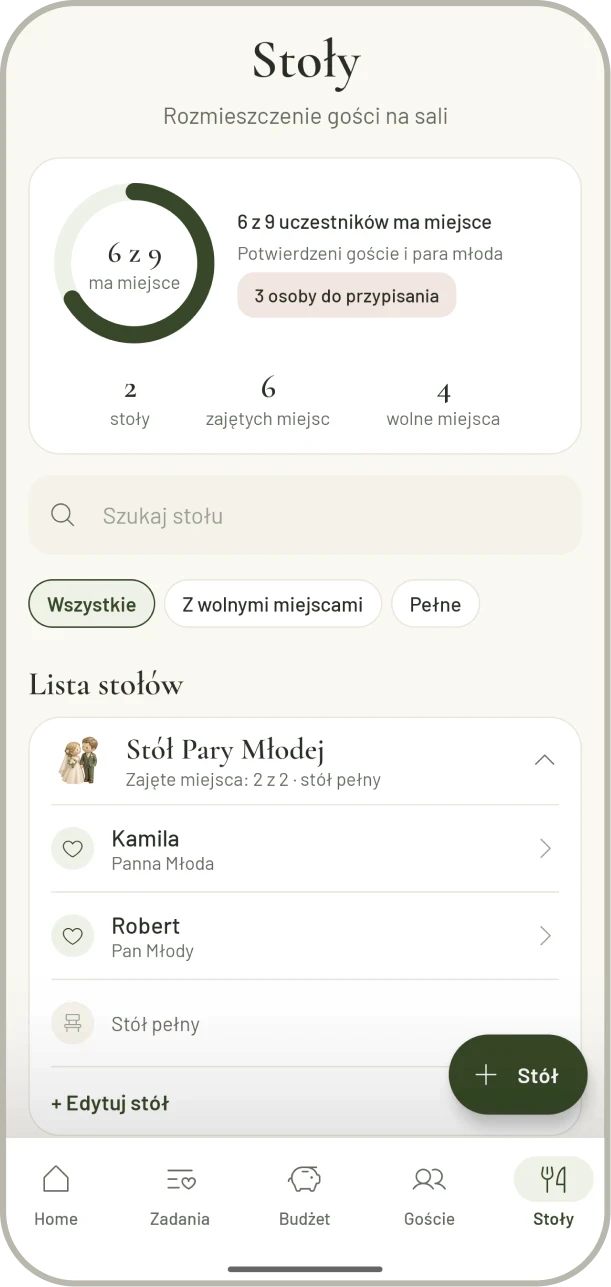
Seating chart. Set the number of seats at each table and see who still needs a spot.
All your wedding details in one place

When your plans are spread across apps
Your guest list is in a spreadsheet, RSVPs are in your messages, and the venue deposit is in your notes. When the head count changes, you have to check all three.
When you plan in Wedding Planner
Open your guest list, record an RSVP, and pick a seat for your guest. Before you speak with the venue, you can check the head count and any special requests.
04 / YOUR PROGRESS
See how far you’ve come
See completed tasks, spending, RSVPs, and assigned seats at a glance. Download Wedding Planner & Checklist and start with your wedding date.
